
Video guide
Prefer to watch? This short guide shows the logged-out My Account page — signing up with just an email, the one-click Google, X, or Discord options, and where returning fans log in.
Signing up as a fan on Lewdden is free and takes about a minute. You confirm you’re 18 or older at the click-through age gate (which you’ve already done if you’re reading this), then create an account. You can sign up two ways: with an email address (we email you a link to set a password) or with an existing X or Discord account in one click. There’s no fee, no card on file required at signup, and no ID upload — fans aren’t subject to the document verification creators go through (see Age verification — why we ask, what we keep for the full rules).
Once your account exists you can browse, subscribe to creators, watch live streams, top up your wallet, and buy clips. The whole platform unlocks.
1. Where to sign up
- Open lewdden.com in your browser.
- Click Enter Site at the age gate to confirm you’re 18+ (this only happens the first time, then a 7-day cookie remembers your confirmation).
- Click My Account in the top-right header.
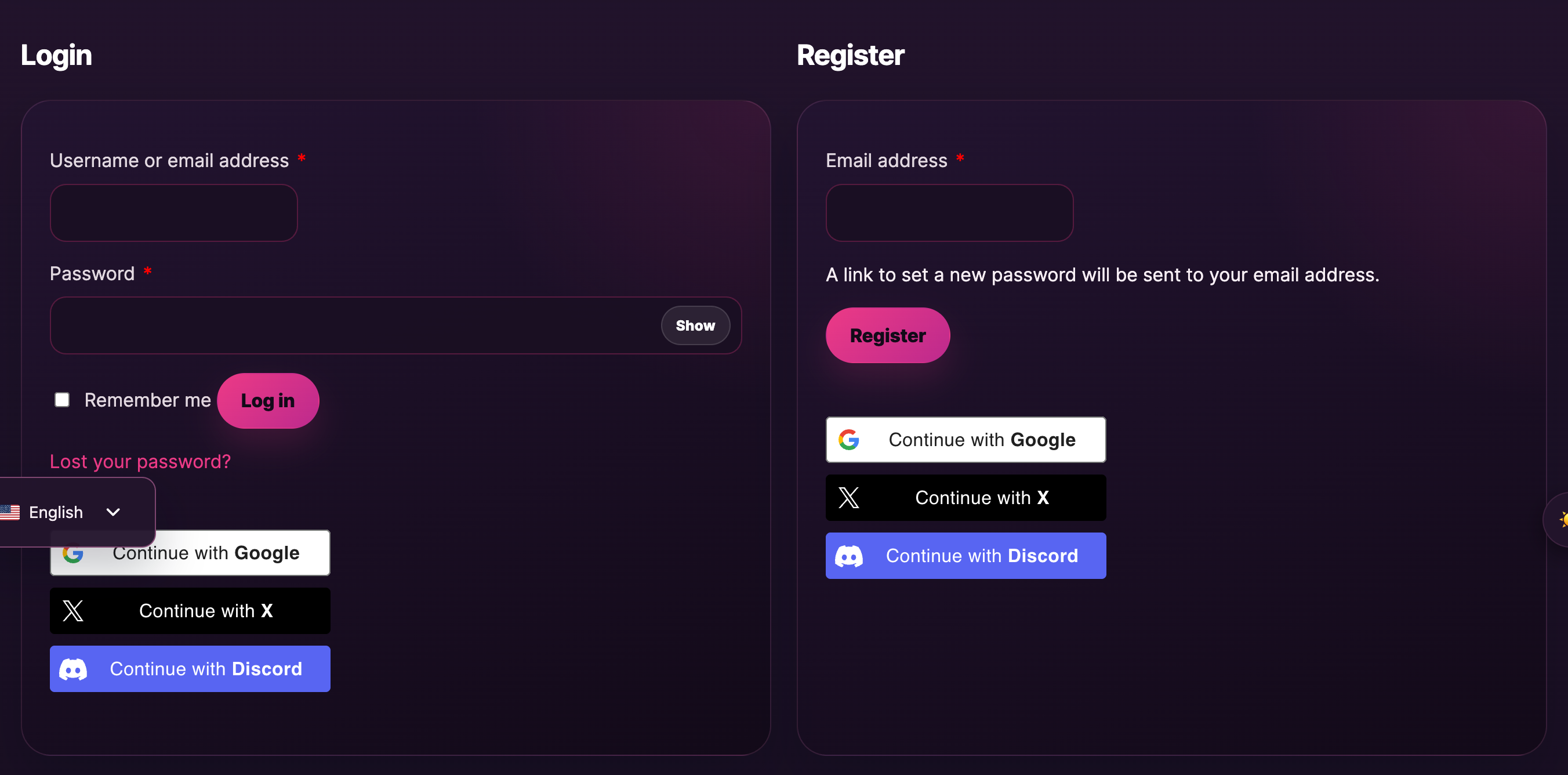
- On the My Account page, look for the Register form (it sits next to or below the Login form).
If you already have an account, use the Login form on the same page to sign in. The fan and creator accounts are different — fans use My Account, creators use Models Login. Use the right one for what you want to do.
2. What you need
Just one thing:
- An email address. Your account is tied to this — it’s where confirmations, ticket receipts, support replies, the link to set your password, and any password-reset links land. Use an email you actually check.
You don’t need:
- A username or password at signup. The platform auto-generates a username from your email and emails you a one-click link to set your own password. (You can change your display name later — see §6.)
- A card or wallet balance at signup. You only add a payment method when you choose to top up the wallet or buy something.
- Any document upload, ID scan, or photo verification. Fan signup doesn’t go through identity verification. The platform relies on the click-through age declaration plus our terms of service.
- Your real name anywhere on your public profile. Your username (and the display name you can pick later) is the only thing other users see.
If you’d rather skip the email-link step entirely, you can sign up with Continue with X or Continue with Discord instead — see §4.
3. Signing up with an email address
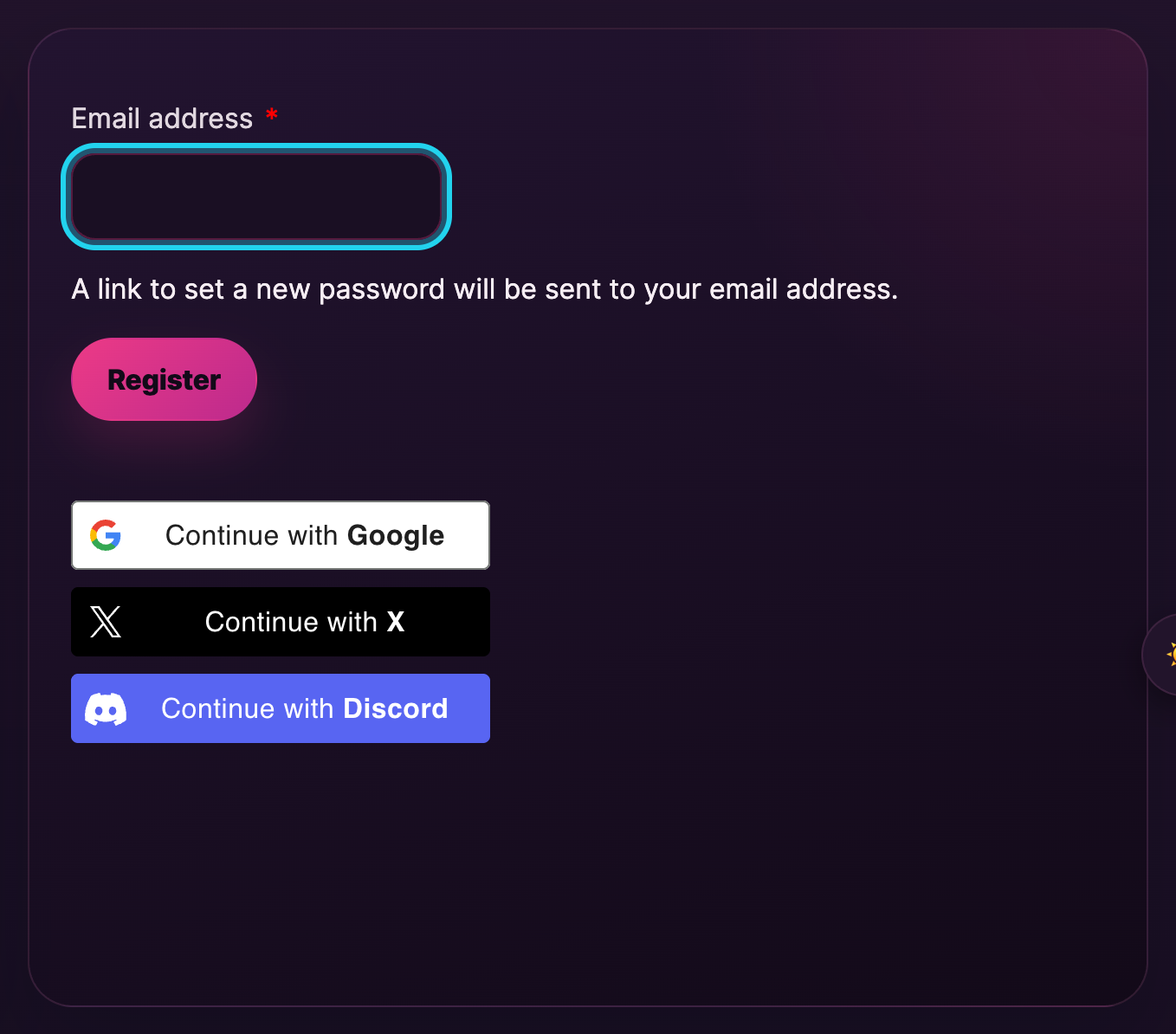
- Type your email address in the email field on the Register form.
- Click Register.
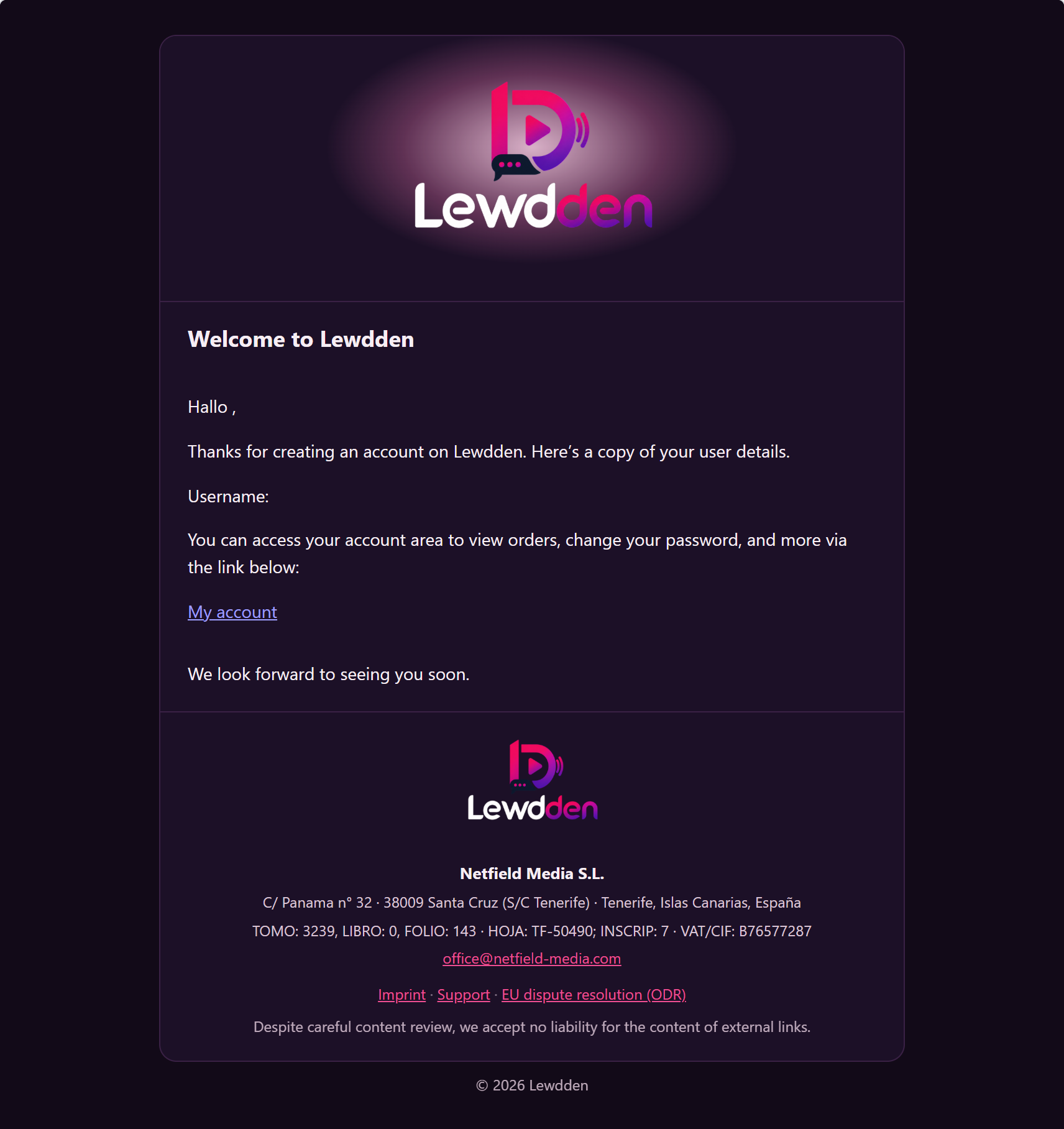
- Open your inbox. You’ll find an email from Lewdden with a one-click link to set your password. Open it.
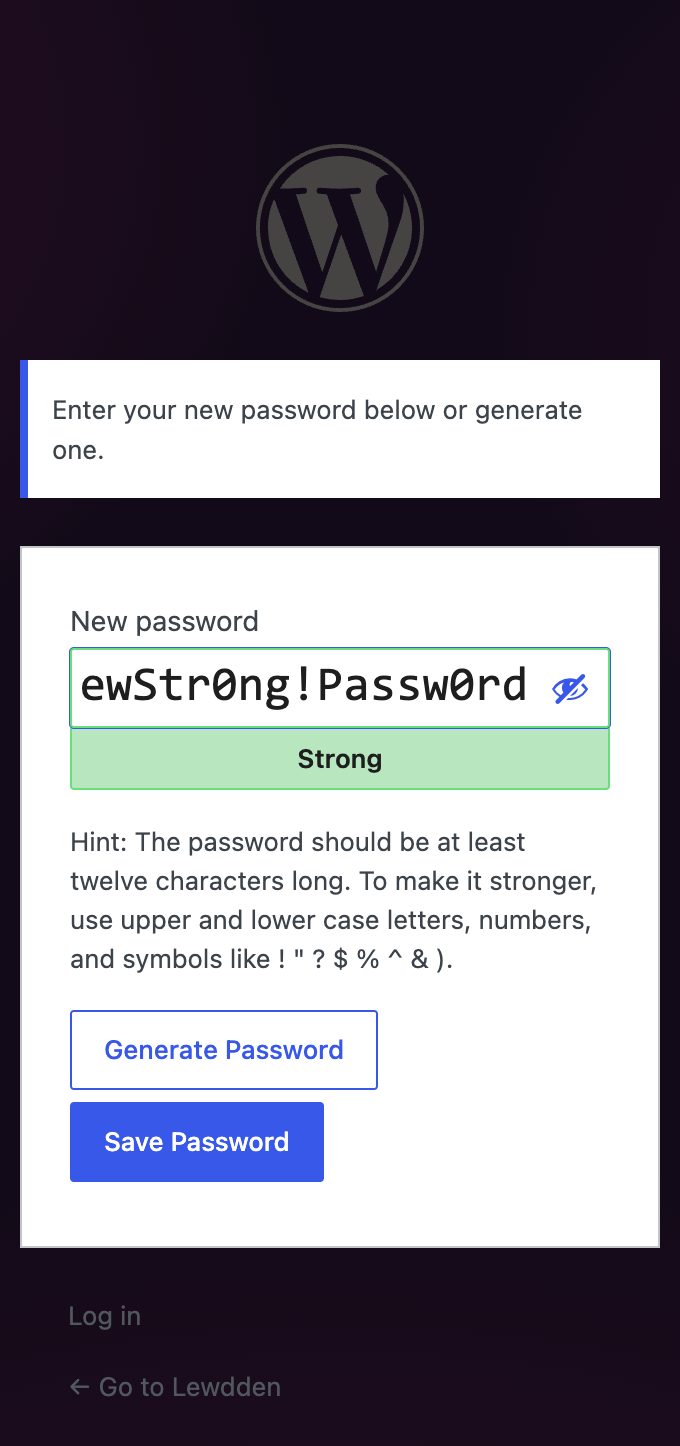
- Click the link. The page that opens lets you choose a password — at least 8 characters, mix of letters and numbers is a good rule. The form shows a strength indicator as you type.
- Submit the password. You’re now signed in and your account is fully active.
If the email doesn’t arrive within a few minutes, check your spam folder. If it still hasn’t arrived, the My Account login form has a Lost your password? link — use that to request a fresh link to the same email address. If that also fails, open a support ticket with category Account & login and include the email you registered with.
4. Signing up with X or Discord
Below the email register form you’ll see two buttons: Continue with X and Continue with Discord.
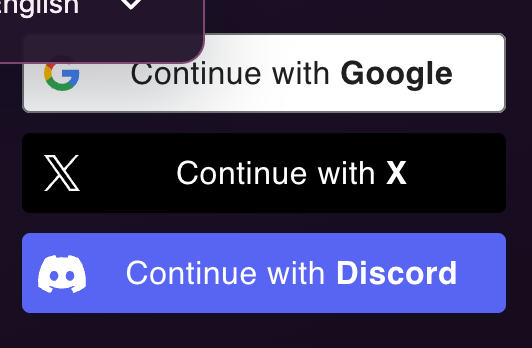
- Click the button for the provider you’d rather use.
- The provider’s site opens in a popup (or a new tab) and asks you to confirm — log into X or Discord if you aren’t already, then click the Authorize / Allow button to grant Lewdden permission to read your basic profile.
- The popup closes and you’re back on Lewdden, signed in. Your account is created using the email associated with that X or Discord account, and your username is derived from your handle there.
Social login skips the password step — you just sign in via X or Discord on each visit. If you change your mind later you can still set a Lewdden password on top of the social login (request one via Lost your password? on the Login form, using the email tied to the social account).
5. What you can do right after signing up
The moment your account is active, the whole platform opens up. You can:
- Browse the /clips, /sales and /live pages — every clip and live stream is visible, prices and descriptions included. You can window-shop without paying for anything.
- Open creator storefronts at
/store/<creator>/— read their bios, see their clip catalogues, see if they’re live, follow them. - Watch free public streams — drop into any free stream and chat with the creator and other viewers. No payment required.
- Subscribe to creators — see Subscribing to a creator for the flow.
- Top up your wallet — see Topping up your wallet for the methods (card, SEPA, Sofort, Giropay, EPS, iDEAL, CashtoCode, crypto, bank transfer).
- Buy clips, tickets to ticketed shows, or book private 1:1 shows — once you have wallet balance or are willing to pay directly at checkout. See Buying a clip and Watching a live stream.
6. Setting up your account for first use
Two small things worth doing in the first session:
- Top up your wallet with whatever amount you’d like to start spending. Wallet balances never expire and the wallet is the fastest checkout option for everything (clips, tickets, tips, private shows). See Topping up your wallet.
- Subscribe to one or two creators you like — subscriptions unlock subscriber-only feed posts, included clips, and (where the creator allows it) free direct messaging. See Subscribing to a creator.
You can also customise your profile from My Account → Account details. Add a display name, an avatar, and your preferred language. Note that your username is fixed after signup (it identifies your account in the system), but the display name is what other users actually see in chat, on tip notifications, and on your public profile — so set that to whatever you’d like to be called.
Common questions
Q: Is signing up free?
Yes. There’s no signup fee, no monthly platform fee, and no card on file required. You only pay for the content you choose to buy or the subscriptions you choose to start.
Q: Do I have to upload an ID document?
No. Fans aren’t subject to the document verification that creators go through. The age gate at the splash + the terms of service are what gate access to the platform. See Age verification — why we ask, what we keep for the full breakdown.
Q: Can I pick my own username?
Your username is auto-generated from your email (or from your X / Discord handle if you used social login). It’s fixed once your account is created. You can set a custom display name in Account details — that’s what other users see on your profile, in chat, and on tip notifications.
Q: Can I use my real name?
You can use your real name as your display name if you want, but you don’t have to. The display name is the only thing other users see by default. Your email and any payment details stay private.
Q: I didn’t get the “set your password” email.
Check spam first. If it’s not there after a few minutes, go to the Login form on the My Account page, click Lost your password?, enter the same email address, and the platform will resend the link. If still nothing arrives, open a support ticket with category Account & login and include the email address you registered with.
Q: Can I have more than one fan account?
The platform allows it (one email per account, but you can have multiple emails). However, repeated multi-accounting to evade subscription cancellations or content rules can lead to account closures — so use one account where you can.
Q: I want to be both a fan and a creator. Do I need two accounts?
Yes — fans and creators have different account types and different login pages. Sign up as a fan at My Account, then apply separately as a creator at Models Login when you’re ready. The two accounts don’t share data; you’d use different email addresses.
Q: I made a typo in my email address. Can I change it?
Yes. Sign in, open My Account → Account details, update the email field, and save. The platform may ask you to confirm the new address with a link.
Q: What if I forget my password?
Use the Lost your password? link on the Login form, or read Resetting your password for the full flow.
Q: Can I sign up with X or Discord and add a password later?
Yes. Use the Lost your password? link on the Login form, enter the email associated with your X or Discord account, and follow the link to set a Lewdden-side password. After that you can sign in either way.
Q: Can I delete my account?
Yes. Open a support ticket with category Account & login and request account deletion. Your account is closed within a few business days and any personal data is purged, with the legal/financial records that EU regulation requires the platform to keep (transaction history, tax-relevant data) retained for the legally-required period.
Q: Is my email shared with creators?
No. Creators see your username (and display name), the fact you’ve subscribed to them or bought their content, and any messages you send them. Your email address stays with the platform.
Q: I’m a minor. Can I sign up if I lie about my age?
No, and don’t. The age gate is a legal declaration you’re 18+. Using the platform while under 18 is a terms violation; if discovered, the account is closed and any active subscriptions are cancelled. The platform also reports content involving minors to the relevant authorities — see Prohibited content — what you cannot publish and Reporting a creator or content.







