
Lewdden is 18+ only. The platform asks every visitor to confirm they are at least 18 (or the legal age of majority in their jurisdiction) before they can browse the site, and applies a more thorough identity check to creators before their storefront unlocks publicly. This guide explains exactly what we ask of fans, what we ask of creators, what data we keep, what we throw away, and why the rules are tighter on the creator side. It applies to everyone using the platform.
1. The first time you visit the site — the click-through gate
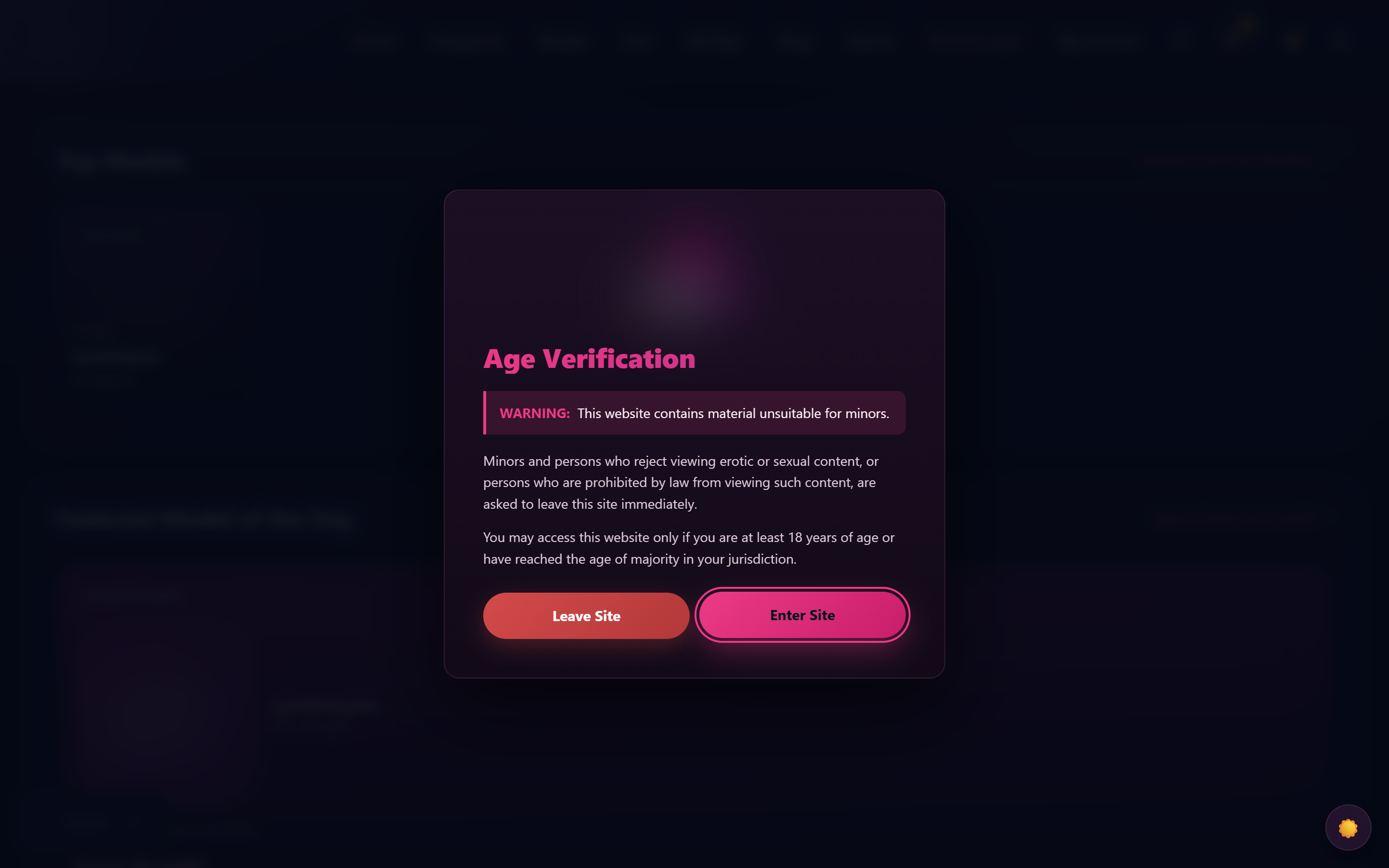
Before you see any content, the platform shows a full-screen splash that says:
WARNING: This website contains material unsuitable for minors. Minors and persons who reject viewing erotic or sexual content, or persons who are prohibited by law from viewing such content, are asked to leave this site immediately. You may access this website only if you are at least 18 years of age or have reached the age of majority in your jurisdiction.
You then click Enter Site to confirm, or Leave Site to be redirected away from Lewdden.
A small cookie called gc_age_ok is set on your browser when you click Enter Site. It records that you confirmed your age — nothing else. The cookie expires after 7 days; after that, you’ll see the splash again and confirm again.
What this gate is and isn’t:
- It is a legal age declaration required by EU adult-content rules and German Jugendschutz / Spanish equivalent regulation. It declares that you, the visitor, attest you are 18+.
- It is not a hard ID check. The platform doesn’t ask you for an ID document or a photo just to browse.
- The cookie isn’t a tracker. It records “you confirmed your age” — no advertising data, no profile, no link to a third party.
If you decline (click Leave Site), you are redirected to a neutral search engine and the platform doesn’t load.
2. Signing up as a fan
Creating a fan account requires the basics: an email address, a username, and a password. There is no separate ID upload when you sign up as a fan. The age declaration you made at the splash is what the platform relies on for adult-content access.
Why no document scan for fans? Because mass-uploading IDs to access an adult site is itself a privacy and security problem — it creates a high-value database that becomes a target. The legal regimes we operate under (Spain, Germany, EU) accept the click-through declaration as the standard for site access, with stricter checks reserved for the people publishing content (creators).
If you misrepresent your age, you’ve broken both our terms and (in most jurisdictions) the law — but the platform doesn’t try to verify your statement at signup with documents.
3. Applying as a creator — the identity verification step

Creators are subject to a different bar. Before a creator’s storefront becomes public — meaning before they can take payments, sell content, or stream — they go through an identity verification flow that proves three things:
- The applicant is at least 18 years old.
- The applicant is the same person whose identity document is being submitted (a face-match check, usually a short video selfie).
- The applicant’s identity document is genuine (real document, not a forgery, not expired, not on a known fraudulent-document list).
This check is run by an independent identity-verification provider integrated with the platform. The applicant uploads or takes a photo of a government-issued identity document (passport, national ID card, or driving licence depending on country), takes a brief selfie video for the face match, and the provider’s automated system makes a decision.
What the platform stores after a successful check:
- A verification status flag (approved / declined / expired) attached to the creator application.
- The creator’s date of birth (used to compute age and to populate the legal data block our payment partner needs for tax compliance).
- A verification session reference — an opaque ID that lets the platform reconfirm the decision with the verification provider if needed (no document images, no biometric data, just the reference).
- The Partner-ID and SEPA banking data the creator separately supplies for payouts.
What the platform does NOT store:
- The actual identity-document image (passport scan, ID photo). That stays with the verification provider; the platform receives only the decision.
- Biometric face-match data. Same — it stays with the provider; the platform receives only “match: yes/no”.
- The selfie video. Same.
The creator can re-trigger the identity verification at any time from their store-manager dashboard if their document expires or they need to re-verify. The provider may keep the document on its side for the period required by financial-services regulation; the Lewdden-side database doesn’t.
4. What happens if creator verification fails

Identity verification can return three outcomes:
- Approved. The creator’s storefront unlocks for public traffic. Clip uploads, livestreams, subscriptions, and payouts are all enabled. The creator can begin publishing immediately.
- Declined. The provider was unable to verify the applicant. This usually means the document was unreadable, the face-match score was too low, or the document type isn’t accepted. The creator gets a message explaining the rejection reason and can re-submit the verification with corrected documents. There’s no penalty for re-trying.
- Expired / abandoned. The applicant started a verification session but didn’t complete it within the provider’s window. The creator can start a new session at any time from their dashboard.
Until verification status is approved, the creator’s storefront is not publicly accessible — visiting /store/<creator-slug>/ returns a 404 to anyone except the creator and platform admins. The creator sees their store-manager dashboard normally and can continue setting up (storefront customisation, payout details, etc.) — only the public storefront is gated. Once verification flips to approved, the storefront unlocks automatically; the creator doesn’t need to do anything else.
5. Why a third-party verification provider
Three reasons:
- Legal compliance. EU regulation around payment processing and adult-content publishing requires the platform to verify creators with a documented audit trail. A third-party provider issues us a verifiable decision certificate, which the platform relies on if a regulator asks “how do you know this creator is 18+?”.
- Security. Storing the actual ID images and biometric data on platform infrastructure would make us a high-value target for breaches. Delegating that to a provider whose entire business is verification (and who has the certifications to handle that data) reduces the risk of a leak affecting creators.
- Trust separation. A creator’s identity document never touches the platform admin team, the moderation team, or any other Lewdden staff. Only the verification decision (approved / declined) is visible internally. That gives creators a stronger privacy guarantee than if the platform were processing the document itself.
We don’t name the verification provider in customer- or creator-facing communications by deliberate choice — once approved, the relationship is between the creator and Lewdden, not the creator and a vendor.
6. Where we operate and which laws apply
Lewdden operates from Spain, Germany, and the EU. The age-related rules that govern the platform:
- Spain — Ley Orgánica de Protección Integral a la Infancia y la Adolescencia frente a la Violencia (LOPIVI): explicit duty to verify creators of adult content are 18+ and to gate access to adult content on declaration.
- Germany — Jugendmedienschutz-Staatsvertrag (JMStV): stricter rules; the click-through gate plus the creator identity check are the standard interpretation for hosting platforms based in or serving Germany.
- EU Digital Services Act (DSA): broader transparency duties around content moderation, takedown response times, and reporting of illegal content. The platform’s Prohibited content rules and reporting flow implement the DSA-required content-rules and take-down framework.
If you have a question about the underlying legal regime — for press, research, or compliance purposes — open a support ticket with category Account & login and someone from the team will route it appropriately.
Common questions
Q: I’m a fan — why don’t I have to upload my ID?
The legal regimes we operate under accept the click-through age declaration as the standard for site access. The stricter checks (document upload, face match) are reserved for people publishing content — that’s where the legal duty is concentrated. Mass-uploading IDs to access an adult site would also create a privacy and security problem, so we don’t do it.
Q: I’m a creator — what document types are accepted?
A government-issued photo ID — passport, national ID card, or driving licence (the exact list depends on your country and is shown to you when you start the verification session). Expired documents are rejected; the document needs to be valid on the day of the check.
Q: Where does my ID actually go?
To the third-party identity-verification provider directly. The platform doesn’t see the document image — it only receives a “verified: yes/no” decision back. The provider keeps the document on its side for the period required by financial-services regulation (typically 5 years).
Q: Is the verification automatic or does a human look at my document?
The verification provider runs an automated check first. If the automated check is uncertain (poor lighting, partial face, ambiguous document), it escalates to a human reviewer on the provider’s side. Either way, the result that comes back to Lewdden is just the final decision — approved or declined.
Q: My verification was declined — what now?
You can re-submit at any time from your store-manager dashboard. Common reasons for rejection are blurred document photos, expired documents, the face-match scoring too low (try a brighter room, a clean background, no glasses or hat), or unsupported document types. The rejection reason is shown in the dashboard so you can fix the specific issue.
Q: I changed my legal name / I have a new ID. Do I need to re-verify?
Yes. Re-trigger the identity verification from the dashboard with the updated document; once approved, the platform updates the creator’s stored DOB and identity reference. Your storefront stays open during the re-verification (the previous approval doesn’t get revoked) — you only re-verify if the document changes or expires.
Q: I’m under 18 — can I still create an account?
No. The age gate at the splash, the terms of service, and identity verification on the creator side all enforce the 18+ floor. Creating an account while under 18 is a terms violation; if discovered later, the account is closed and any payouts are reversed.
Q: Is Lewdden available to creators in non-EU countries?
Yes — creators can be from anywhere. The identity verification provider supports documents from most countries. Payouts go to SEPA-zone bank accounts; non-SEPA creators use Paxum, Wise, or Payoneer to receive their EUR payouts on a SEPA transfer (see IBAN setup overview).
Q: What about deepfakes — could someone use my face to verify themselves?
The face-match step compares the live selfie video against the document photo, with anti-spoofing checks. Static photos, screen recordings, and pre-recorded videos are detected and rejected. A successful spoofing of the verification would be both a platform terms violation and (in most jurisdictions) identity fraud.
Q: I deleted my fan account — does the age cookie disappear?
The gc_age_ok cookie is in your browser, not your account. Clearing your browser cookies (or letting the 7-day expiry run) removes it. The next visit will show the splash again.
Q: I’m reading this from a search engine — did I bypass the age gate?
The platform’s search-engine crawler-detection lets bots index the help centre without the gate. Real visitors (browsers with normal user-agent strings) hit the gate the first time they visit. If you reached this article via a search result and didn’t see the gate, your browser is being treated as a bot — try opening any other Lewdden page from a fresh browser tab and you’ll see the gate appear.







