
Video guide
Prefer to watch? This short guide walks the store-manager Friends page — the Friends, Requests received and Requests sent tabs, sending and accepting a friend request, and what a friendship unlocks for direct chats and livestream collabs.
The Friends list is the creator-to-creator graph on Lewdden. When two creators are friends, they can DM each other directly, see each other in their messaging quick-contacts, and (depending on each side’s collab settings) invite each other into livestream rooms with a revenue split. This guide walks through the Friends page itself — sending a request, what the recipient sees, accepting, declining, cancelling, removing — plus the anti-spam guardrails on requests and what changes for both creators the moment the friendship is mutual.
1. Where the Friends page lives
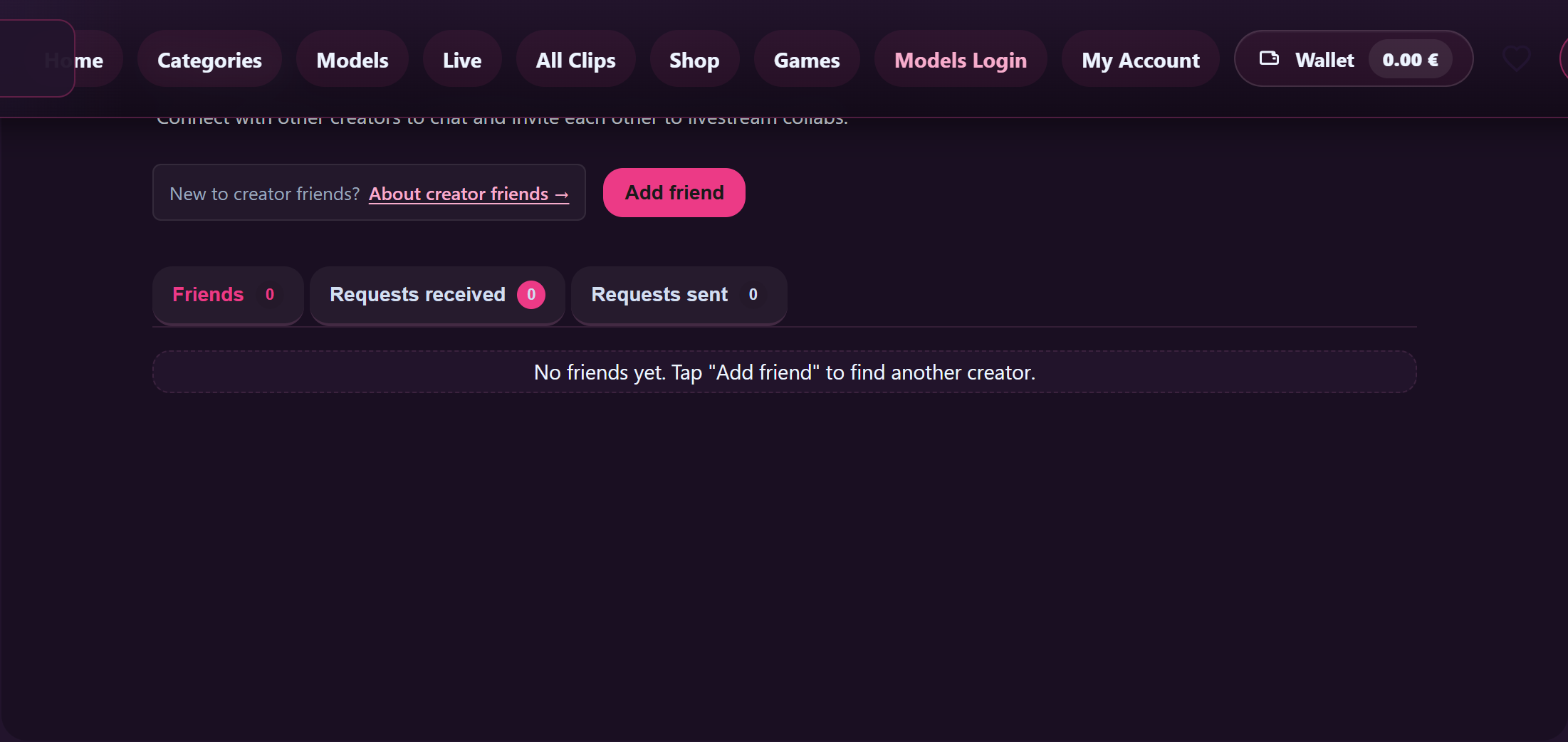
Open /store-manager/friends/ — or click the Friends entry in the store-manager left sidebar. Only verified creators see this page; fans don’t have a friends list because there’s no creator-to-creator graph relevant to them.
The page has a title (Friends) and a one-line subtitle:
“Connect with other creators to chat and invite each other to livestream collabs.”
Three tabs run across the top:
- Friends — the people you’re currently friends with.
- Requests received — incoming requests from other creators waiting on your accept/decline. Has an alert-coloured count when at least one is waiting.
- Requests sent — outgoing requests you’ve sent that haven’t been responded to yet.
Each tab shows a count of how many rows are in it. The page loads instantly with a Loading… placeholder while the lists populate.
2. Sending a friend request
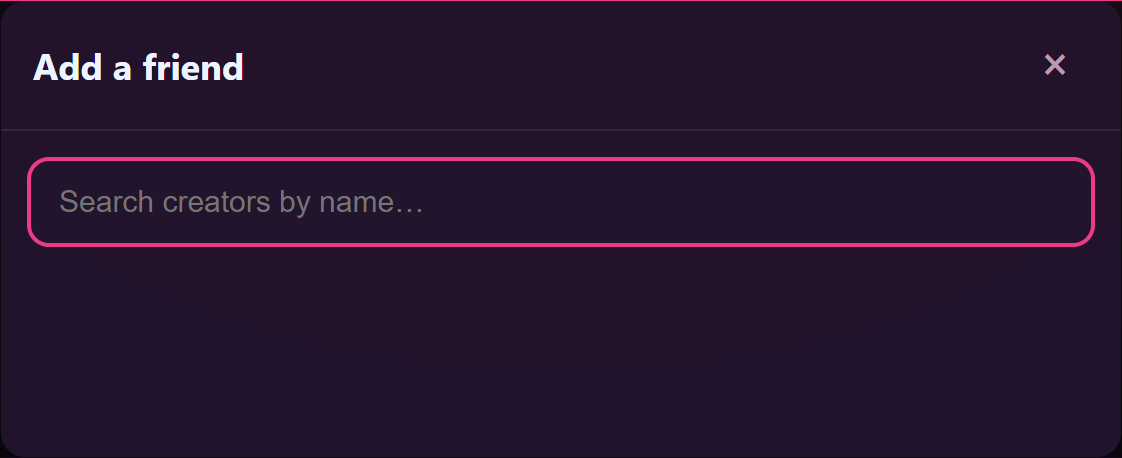
- Click the Add friend button in the top-right of the page.
- A dialog opens titled Add a friend. There’s a search field with the placeholder “Search creators by name…”.
- Type at least 2 characters of the creator’s name. (Shorter searches show the hint “Type at least 2 characters.”.)
- Pick the creator from the results. Each result shows their display name and avatar; for creators you can interact with right now there’s a Send request button. For creators you’ve already sent a request to it reads Request pending. For creators you’re already friends with it reads Already friends.
- Click Send request. A toast at the bottom confirms the request went through.
The request is now in your Requests sent tab; the other creator sees it in their Requests received tab. You’ll get a notification when they respond.
3. What the other creator sees

On their side, the request appears under Requests received. Their bell icon increments. The row shows your display name, avatar, and two buttons: Accept and Decline.
- Accept — the row disappears from Requests received and you both appear in each other’s Friends tab. Both sides see a toast confirming the friendship.
- Decline — the row disappears. You’re not told whether they declined or just haven’t acted yet (deliberate — declining is private). On your side the request stays under Requests sent for a short while, then ages out.
Either creator can also Cancel request from their side — you cancel from Requests sent; they cancel by declining from Requests received. Cancelling on either side removes the row from both.
4. What changes the moment you’re friends

Once both sides see each other in Friends, three things turn on:
- Direct messaging between you opens up. Normally Lewdden blocks creator-to-creator DMs unless there’s a relationship (purchase, subscription, or now: friendship). Friends get to message each other directly. You’ll see each other surfaced in the quick-contacts row above your messages inbox.
- The Open messages shortcut appears. Each row in your Friends list shows a small Open messages button that jumps straight into your shared thread.
- Livestream collab invites unlock if each side’s collab visibility allows it. The two relevant settings are Only my friends (the default — only friends can invite you to a collab) and Anyone can invite me. If both of you have one of those active, you’ll see each other in the collab invite picker when either of you is live. For the full collab flow see Inviting a friend into your stream and Multi-creator collabs and revenue splits.
Becoming friends doesn’t change anything for fans. Customers don’t see each other’s creators’ friend graphs.
5. Removing a friend
Open the Friends tab. Each row has an Unfriend button. Clicking it shows a confirmation: “Remove this creator from your friends?”. Confirm and:
- The row disappears from your Friends list.
- It also disappears from theirs (unfriending is mutual — friendship is symmetric, so removal is too).
- The direct-messaging access between you closes again, unless you have another relationship (purchase, subscription) that keeps it open.
- Your existing message thread stays where it is on both sides — we don’t delete the history. New messages between you are blocked while you’re not friends.
- Collab invites between you are no longer available unless both sides set Anyone can invite me.
If you change your mind later, you can send a fresh friend request — but see §6 about the cooldown after a decline.
6. The guardrails on requests
To keep the friends graph from being used as a back-door for bulk DMing or harassment, a few limits apply:
- Both sides must be verified creators. If the search isn’t finding someone you’d expect to be there, they’re either not a creator (no friends list applies) or their account isn’t fully verified yet.
- You can’t friend yourself. Trying to send a request to your own account silently does nothing.
- One pending request per pair. If you’ve already sent a request to this person, you can’t send another one until they act on it (or you cancel). The button on their row will read Request pending instead of Send request.
- 20 outgoing requests at a time. If you have 20 unacknowledged outgoing requests, the 21st is blocked until some are accepted, declined, or cancelled. (For most creators 20 is plenty — if you’re constantly hitting the cap, the issue is usually that you’re sending to people you don’t know yet.)
- 5 new requests per hour. Rate limit. If you go over the toast shows a friendly error and you wait the hour out.
- 30-day cooldown after a decline. If a creator declined your request, you can’t send them another one for 30 days. This applies regardless of direction — if they declined, you’re cooling down; if you declined them, they’re cooling down. The cooldown isn’t visible (we don’t reveal who declined whom), but the next request just won’t go through.
None of this is configurable per-account. The limits exist for everyone.
7. Empty-state guide
You’ll see different empty messages depending on which tab is empty:
- Friends tab: “No friends yet. Tap “Add friend” to find another creator.”
- Requests received: “No incoming friend requests.”
- Requests sent: “No outgoing friend requests.”
- Search dialog with no matches: “No matching creators found.”
These are normal states, not errors. If something actually goes wrong you’ll see a different message: “Something went wrong. Please retry.” — almost always a transient network blip, fixed by retrying.
8. Common questions
“Can a fan be on my friends list?” No. The friends graph is creator-to-creator only. For relationships with fans, the messaging inbox is the right place — subscribers and previous buyers can already DM you without being friends.
“Can I see who unfriended me?” You see that someone is gone from your Friends list. We don’t surface a separate “they unfriended you” notification — it would feel surveillance-y for what’s a normal social choice on either side.
“What if someone unfriends me, can I re-add them immediately?” Yes, but it triggers a new request that has to be accepted on their side. If they declined or unfriended in the last 30 days, the request is blocked until the cooldown ends.
“Does anyone except us see we’re friends?” No public friends list, no “X and Y are friends” badge, nothing on either of your storefronts indicates the friendship. It’s a private graph used internally for DM and collab gating.
“Can I block someone instead of declining?” Blocking is handled in the messages inbox per thread, separately from the friends list. Blocking from a thread prevents future DMs regardless of friend status. Declining a friend request just keeps the request from completing — no block applies.
“What if someone keeps sending me requests after I declined?” The 30-day cooldown after a decline blocks them automatically for 30 days. If after the cooldown they still pester you, you can block them on any thread you share — see Chat best practices.
“Why does someone show as ‘Already friends’ when I haven’t friended them?” If you’ve been on Lewdden for a while, you may have friended each other earlier and forgotten. Check the Friends tab. If they’re not there, refresh the page; a stale cache occasionally lags by a few seconds.
Related
- Inviting a friend into your stream — the collab-invite flow that uses this friends list.
- Multi-creator collabs and revenue splits — end-to-end view of how collabs work, including the revenue split.
- Chat best practices — once you’re friends, you can DM each other; this covers etiquette + features.
- Customising your store — where your display name and avatar (used in the search results other creators see) are set.







