
Switching to a new bank, opening a fresh IBAN with Wise / Payoneer / Paxum, or just moving your payouts to a different account? This guide covers the two paths and the timing you should plan around.
Quick answer. The IBAN itself isn’t a field on the Lewdden side — it’s stored against your Partner-ID. So changing your IBAN means either updating it under your existing Partner-ID, or registering a new Partner-ID and asking support to link it. Pick the path that matches your situation in §1.
1) Pick the right path
- You’re keeping the same Partner-ID, just pointing it at a different account.
Example: same person, same business, you’ve opened a new EUR account and want payouts going there from now on. → Use Path A. - You need a different Partner-ID.
Example: you’ve moved from a personal Partner-ID to a company one, switched IBAN service entirely (Wise → Paxum), restructured the business, or had to close the original account. → Use Path B.
If you’re not sure which one applies, the test is: does your existing Partner-ID still belong to the same legal entity, with all its existing tax / compliance details? If yes — Path A. If anything has changed (legal name, tax setup, country, identity documents) — Path B.
2) Path A — change the IBAN behind your existing Partner-ID
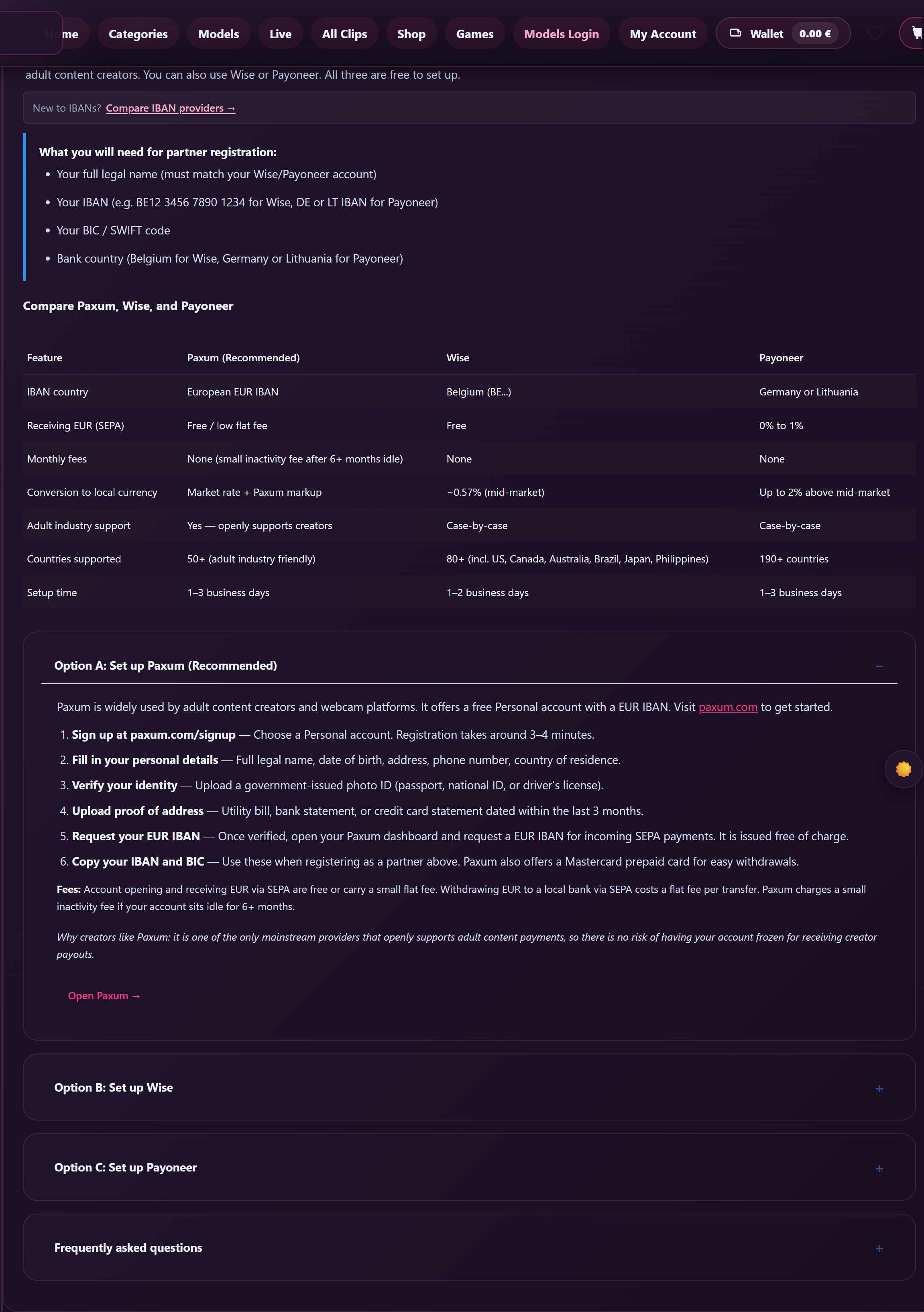
The Partner-ID validation we run from the Payouts page only confirms the ID is real and matches your account; the actual bank account number lives in the partner registration system itself.
- Log in to the partner registration portal. Use the same credentials you set up when you first registered your Partner-ID. The link is on Setting up your Partner-ID, §3.
- Edit the bank-account section in your account profile. The exact label varies (usually Payout method, Bank account, or Payment details). Add the new IBAN and BIC/SWIFT.
- Some accounts will ask for a fresh proof-of-account. A bank statement, a screenshot of the online-banking page that shows your name + the new IBAN, or an account-confirmation PDF from your bank usually does it. The same kind of document you uploaded the first time around.
- Wait for the change to be confirmed. Most updates are actioned within one working day. Until we confirm, the old IBAN is still the one on file — and any payout that builds in the meantime will go to the old account.
You don’t need to touch anything on the Lewdden side. Your Partner-ID stays the same, your /store-manager/payouts/ page keeps showing it as ✓ Locked in, and your earnings keep building up normally. The next monthly export will pick up whichever IBAN was on file at the moment the file is built (the 1st of the next month).
3) Path B — switch to a different Partner-ID
Your current Partner-ID is locked to your creator account. The page itself shows the lock at the top of the form — “This partner ID is already validated and linked to this creator account. Contact support if it ever needs to be replaced.” — and the Validate and save partner ID button is greyed out for that reason.
So the swap takes three steps:
- Register the new Partner-ID in the partner registration portal. Same flow as the first time — see Setting up your Partner-ID. Make sure it’s fully approved on their side before you ask us to swap; we can’t swap into a Partner-ID that isn’t ready to receive payouts.
- Open a support ticket from Contacting support under the Payouts category. Include:
- Your old Partner-ID (the one currently shown on
/store-manager/payouts/). - Your new Partner-ID.
- The reason for the swap (one line is fine — “moved from personal to company”, “switched IBAN service”, etc.). It helps us verify the swap is legitimate.
- Your old Partner-ID (the one currently shown on
- We swap the Partner-ID on the Lewdden side and re-run the validation against the new one. Once the page shows the new ID as ✓ Locked in, you’re done — the next monthly export uses the new account.
4) Timing — what to expect around a change
- The 1st of the month is the cut-off. Whichever IBAN is on file at midnight (Berlin time) on the 1st is the one the next monthly export uses. If your change is fully confirmed before that, the next payout goes to the new account; if it’s still pending, it goes to the old one.
- Don’t close the old bank account until you see one full payout land in the new one. If the export was already built before your change finished, the bank transfer will still target the old IBAN. Closing it too early means a returned transfer and a 1–2 cycle delay while we sort it out.
- One payout could be held a cycle to be safe. If a change lands very close to the 1st and we can’t confirm the new account is ready in time, the next export may be held one month rather than risk sending it to a half-set-up account. You’ll see the row stay in Queued on your Payouts page; it’ll roll into the following run.
5) What stays the same after a change
Whichever path you took, none of these change:
- Your earned amounts. Open balance, queued rows, and history all stay exactly as they were. An IBAN swap doesn’t reset anything.
- Your storefront, clips, subscriptions. A Partner-ID change is a payout-side admin change only. Your buyers don’t see anything different on your storefront — they keep buying as normal.
- The 65 / 35 commission split. Your share of every sale is unchanged. See How creator payouts work.
6) FAQ
Q: Can I have two IBANs and split payouts between them?
No — one Partner-ID, one bank account. Each monthly payout is a single SEPA transfer.
Q: Can I change just the IBAN without telling the partner-registration system?
No. The IBAN lives there, not on Lewdden. There’s nothing to change on our side until you’ve updated it (Path A) or registered a new Partner-ID (Path B).
Q: I sent my old Partner-ID’s IBAN to my new bank — will the payout still arrive?
That depends on your bank’s IBAN-redirection rules. Most banks reject SEPA transfers that don’t match the account name + IBAN exactly. Don’t rely on a redirect — use Path A or Path B, in writing.
Q: My country is outside the SEPA zone. Do I have any other options?
Same as the first time you set up: pick a SEPA-compatible IBAN service (Wise, Payoneer, or Paxum) and use that account for the change. The full walkthroughs are at IBAN setup for international creators.
Q: I lost access to the email on my old Partner-ID account. What now?
First reach out to the partner-registration support to recover access (their account, their reset flow). If they can’t reset it, register a fresh Partner-ID and use Path B to swap it on our side.
Q: How long does the support swap (Path B) take?
We aim to action Payout-category tickets within one working day. Allow up to two working days if you’re submitting near a weekend or public holiday in Berlin.
Q: Will my buyers / fans see anything change?
No. Subscriptions keep renewing, clips stay buyable, and your storefront is unaffected. The change is invisible on the customer side.
Need more help
For Path A questions (the IBAN itself, what document the partner-registration system wants), the partner-registration support team is the fastest route — they own that account. For Path B (swapping the Partner-ID linked to your storefront), open a ticket under Payouts at Contacting support with both Partner-IDs and a one-line reason for the swap.







