
Video guide
Prefer to watch? This video walks the Payouts page — the status grid, the documents you need, the IBAN requirement, the embedded partner registration, and how to validate and save your Partner-ID.
Your Partner-ID is the one piece of information that links your Lewdden earnings to your bank account. Once you’ve registered for one and saved the validated value on your Payouts page, your monthly payouts can run. This guide walks you through it end to end — typically 20–30 minutes plus however long the registration partner takes to validate your documents.
For the bigger picture (rev share, schedule, how monthly payouts work), see How creator payouts work.
One Partner-ID works across all our sites. Your Partner-ID is issued by our payout partner, not by any single site — so the very same Partner-ID is valid on GuyScat, Lewdden and ScatPortal. If you also have a creator account on one of the others, just paste this same Partner-ID into that site’s Payouts page and save it there too. You never need to register or validate a separate Partner-ID per site — one Partner-ID covers all of them.
1. What you need to have ready
Before you start the registration, gather:
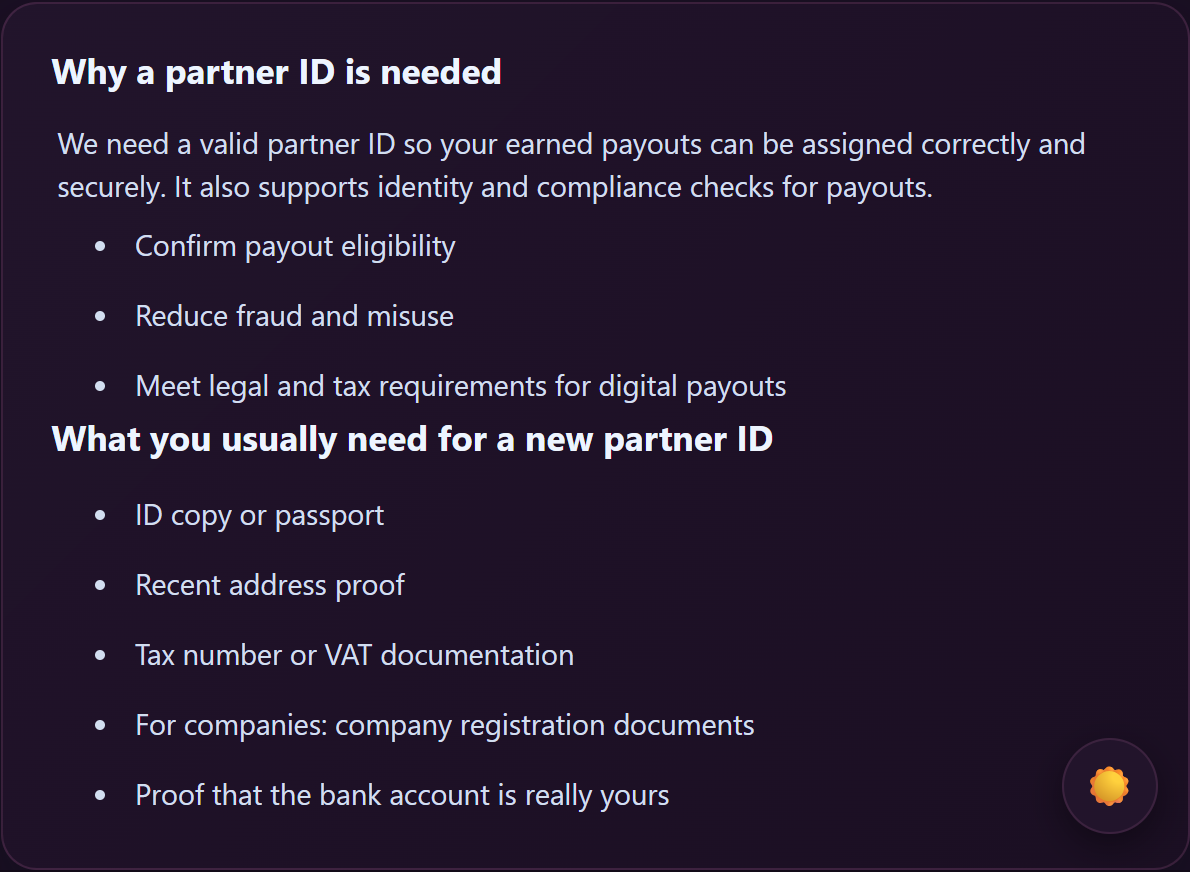
- Photo ID or passport — clear photo of both sides, current/valid.
- Recent address proof — a utility bill, bank statement, or government letter dated in the last 3 months showing your name and current address.
- Tax number or VAT documentation — your tax ID (Steuernummer in Germany, NIF in Spain, etc.). For freelancers/companies registered for VAT, your VAT number too.
- For companies — your company registration documents (Handelsregister extract, certificate of incorporation, or equivalent).
- Proof the bank account is yours — a bank statement or screenshot of your online banking dashboard showing your name and the IBAN.
- An IBAN — see Section 2.
2. Have your IBAN ready
The Partner-ID system needs a SEPA-compatible IBAN to send your monthly payouts to. A German IBAN is the smoothest fit, but any SEPA-country IBAN works.
- Got a German or other SEPA-country bank account already? Use that IBAN. You’re done with this section.
- Living outside the SEPA zone? You’ll need to open a SEPA-compatible EUR account with a service like Wise, Payoneer, or Paxum before continuing — all three give you a real EUR IBAN you can use here. See the IBAN guides:
- IBAN setup for international creators (overview) — picks the right one for you.
- IBAN setup with Wise — full walkthrough.
- IBAN setup with Payoneer — full walkthrough.
- IBAN setup with Paxum — full walkthrough.
Don’t enter someone else’s IBAN — payouts will be rejected if the bank account name doesn’t match the registered Partner-ID account holder.
3. Open the Payouts page
- Sign in at /models-login/.
- In the Store Manager sidebar, click Payouts (or open /store-manager/payouts/ directly).
You’ll see four areas on this page:
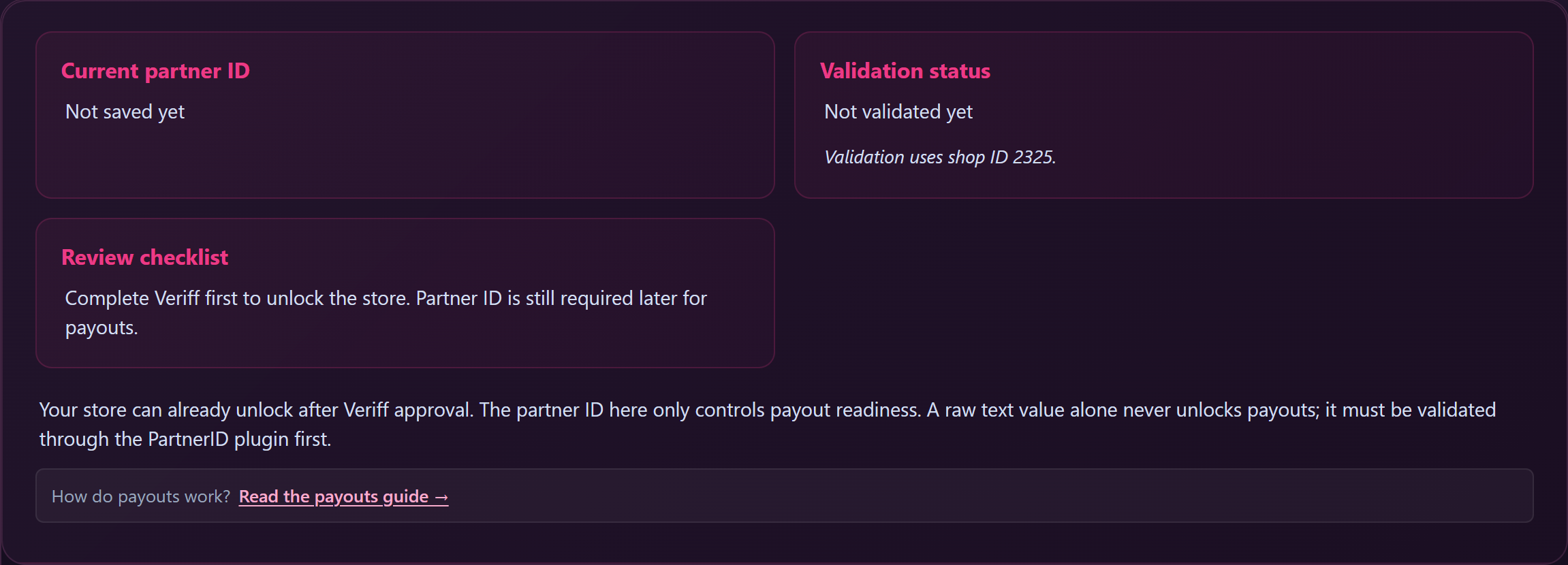
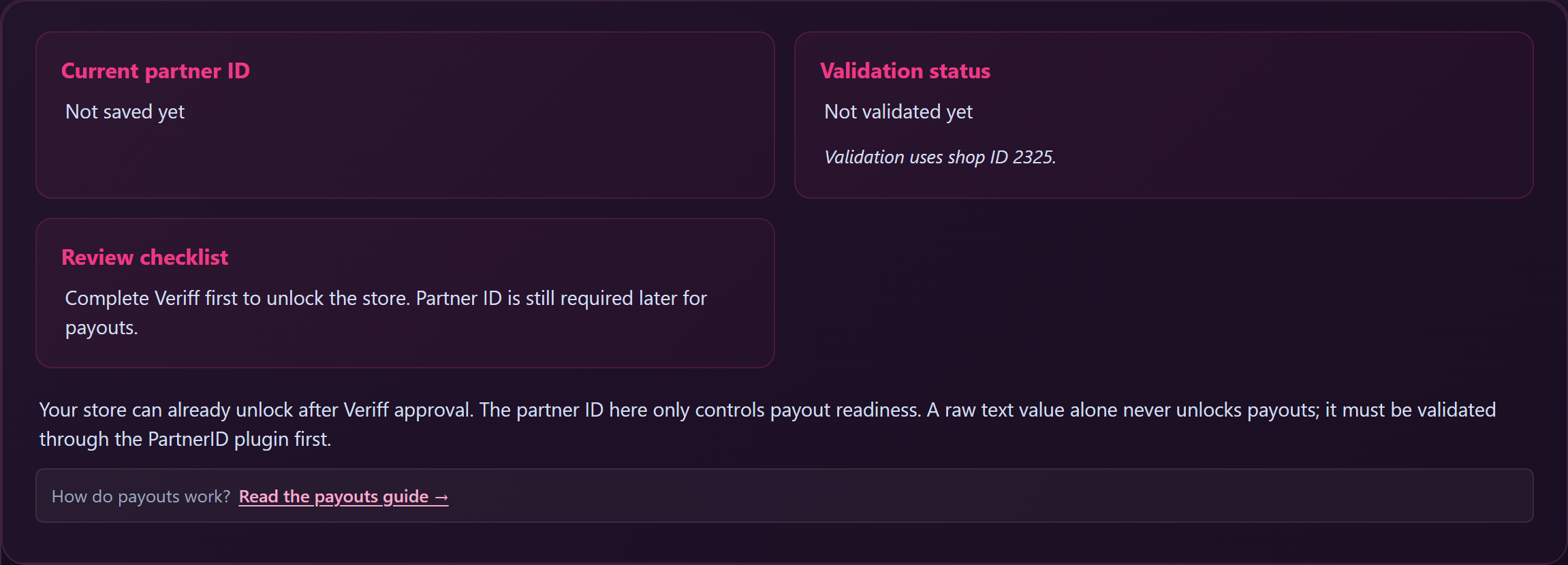
- A Status card at the top showing your current Partner-ID, validation status, and review checklist.
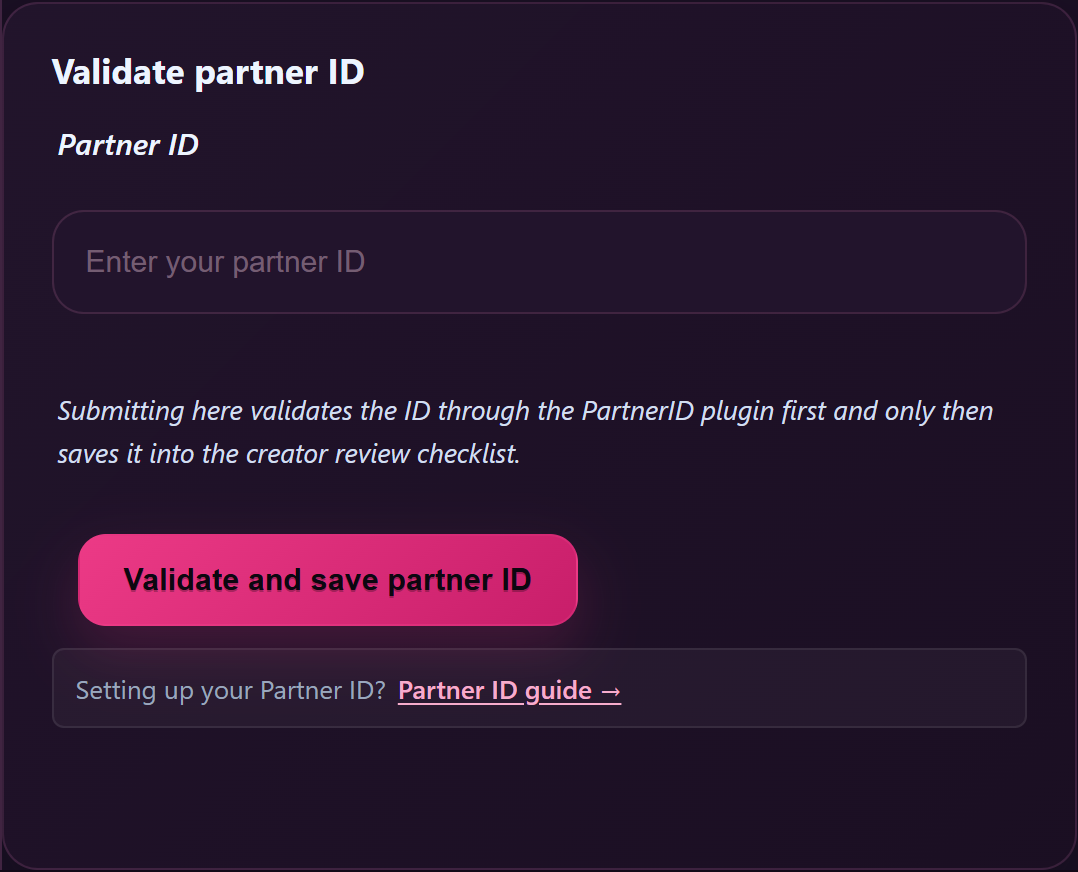
- The Validate partner ID form (this is where you’ll save your Partner-ID later).
- A Why a partner ID is needed explainer.
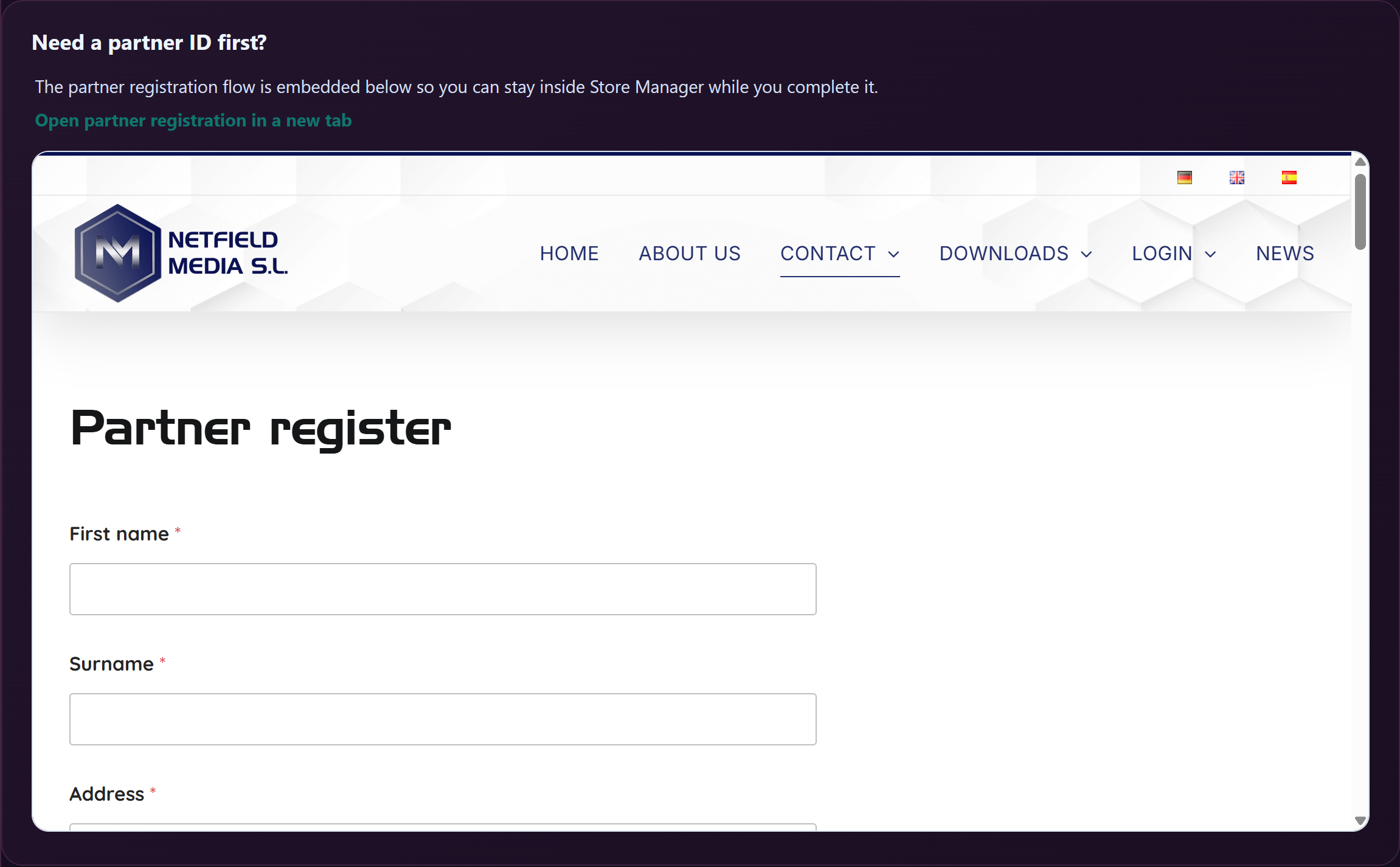
- A Need a partner ID first? card with the partner registration embedded directly on the page and an “Open partner registration in a new tab” link.
- An IBAN guide further down for international creators.
4. Open partner registration
Scroll to the Need a partner ID first? card. You have two options:
- Use the embedded form — the registration flow is right on the Payouts page. You can fill it out without leaving Store Manager.
- Open in a new tab — click “Open partner registration in a new tab.” Useful if your browser is fussy about embedded forms, or if you want to flip back and forth between the registration site and your documents folder.
Both options take you through the same flow.
5. Complete the registration
In the registration form:
- Your details — full legal name (matches your ID), date of birth, country, address.
- Account type — pick Personal or Company. Company shows extra fields for company registration documents.
- Tax info — tax number, plus VAT number if you have one.
- Bank info — your IBAN (from Section 2), account holder name (must match your legal name).
- Document upload — ID copy, address proof, tax/VAT docs, bank-account proof.
Submit the form. The partner system reviews your documents — typically within a few business days. They’ll email you when your Partner-ID is issued.
6. Save the Partner-ID on the Payouts page
Once you have your Partner-ID, come back to /store-manager/payouts/:
- Find the Validate partner ID form (top-left card, below the status grid).
- Type or paste your Partner-ID into the Partner ID input.
- Click Validate and save partner ID.
The system validates the ID through the partner system in real time and saves it to your account. If validation passes, the form switches to read-only (“Partner ID already validated”) and the status grid shows Validation status: validated.
The Partner-ID format is 1–32 letters or digits with no spaces or symbols. If you get a format error, check for accidental spaces or hyphens.
7. Confirm payouts are unlocked
Look at the Review checklist card at the top of the page:
- “Payout setup is complete” → you’re done; the next 1st-of-the-month cycle will include your earnings.
- “Your store is unlocked. Payouts still wait for a validated partner ID.” → identity verification is approved but the Partner-ID isn’t validated yet — go back to Section 6.
- “Complete identity verification first to unlock the store. Partner ID is still required later for payouts.” → finish identity verification first; see Creator onboarding if you haven’t started that.
When the checklist says “Payout setup is complete,” you’re set — every month from then on, your earnings get exported automatically and paid by SEPA bank transfer. See How creator payouts work for the cycle.
Common questions
Q: How long does Partner-ID validation take?
The format check on save is instant. The underlying partner system needs a few business days to review your uploaded documents and issue the Partner-ID. The clock on the Lewdden side is just the moment you click Save.
Q: I got “Partner-ID must be 1–32 letters or digits with no spaces or symbols.”
You probably have a leading/trailing space or a hyphen in the value you pasted. Strip non-alphanumeric characters and try again.
Q: I got “That partner ID is already registered on another account.”
Each Partner-ID can only be linked to one Lewdden account. If you genuinely own both, open a support ticket — we’ll help. If this is unexpected, double-check the value you pasted against the email from the partner system.
Q: My validation passed but I see “validated ID could not be saved.”
The Partner-ID validated against the partner system but the registry write didn’t go through. Open a support ticket with the Partner-ID and the time you tried — we’ll check the logs and fix it manually.
Q: I want to change my IBAN — do I update it on Lewdden?
No. The IBAN is held by the partner system, not by Lewdden. Update it on the partner side (the same registration site). Open a support ticket if you want help walking through the change; we can also pause the next payout cycle while the new bank account is being verified.
Q: I want to replace my Partner-ID entirely (different account, different person, etc).
Once a Partner-ID is validated, the Lewdden form is read-only by design — you can’t accidentally swap it. Replacing it requires a support ticket; this is a deliberate guardrail to prevent payouts being redirected.
Q: My identity verification is still pending — can I register the Partner-ID now?
Yes. The two are independent. Going through the Partner-ID flow while verification is in review is fine, and lets you go straight to selling once verification clears.
Q: I’m a company — does anything change?
Same flow, but during partner registration you upload company registration documents in addition to your personal ID, and the bank account on file should be the business account. The validation step on the Payouts page is identical.
Q: I haven’t earned anything yet — should I still set up the Partner-ID?
Yes. There’s no cost or downside, and it means the moment your earnings start, payouts can run. Most creators set it up alongside identity verification on day one.
Q: I already set up a Partner-ID on one of your other sites — do I need a new one here?
No. Your Partner-ID comes from our payout partner and is the same across GuyScat, Lewdden and ScatPortal. Paste the Partner-ID you already have into the Validate partner ID form on this site’s Payouts page and save — one Partner-ID covers all of them, so there is nothing extra to register.
Need more help?
If the partner registration form is throwing errors or your validated Partner-ID isn’t saving, open a support ticket and include a screenshot of the error message and the email address you registered with on the partner site.







